
You can now create and select existing pet parent profiles, such as a dam or sire, when uploading a new litter listing. This replaces the previous breed-only selection and gives you a chance to showcase your breeding stock directly on your profile and listings.
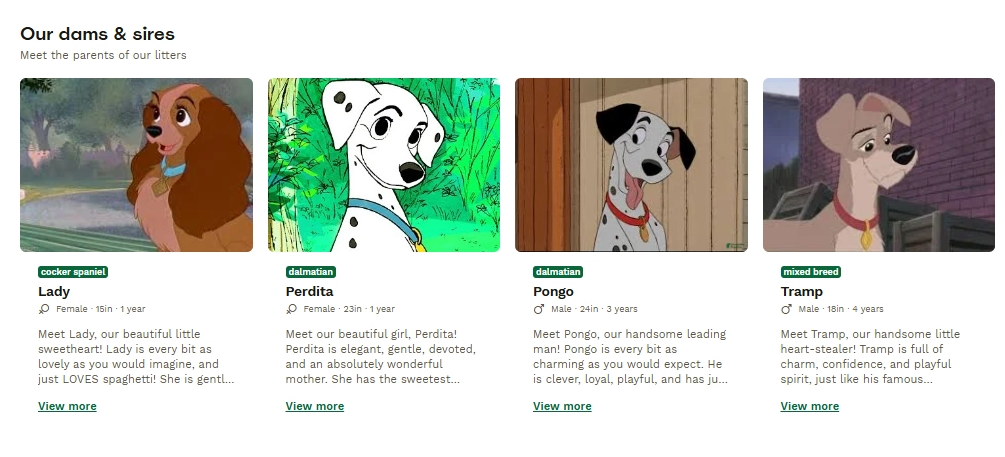
When a dam or sire is linked, buyers can see the parent’s name, photo, and breed, helping to build trust and transparency around the litter’s pedigree.
Creating a New Pet Parent Profile
If you do not have a profile created yet for the dam or sire, you can create one from your Profile page in your account, or during the listing upload process by selecting “Add dam” or “Add sire”.
To create a pet parent profile from your account:
- Log into your account.
- Navigate to “My Profile”.
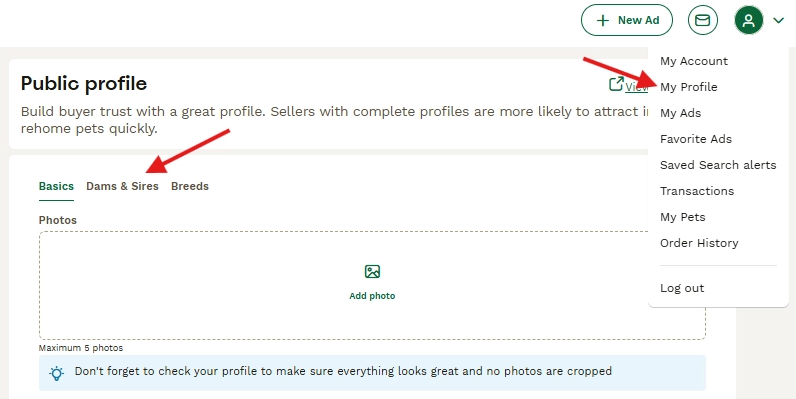
- Click on “Dams & Sires”.
- Click “Add Mother” to add a dam, or “Add Father” to add a sire.
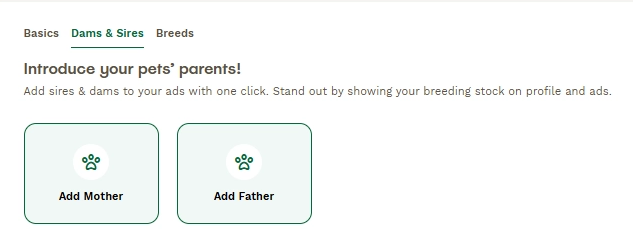
- The “Add Mother” or “Add Father” page will open. Complete the available fields.
The fields include:
- Photo optional, upload a photo of the parent.
- Breed required, select from the dropdown menu.
- Name required, enter the parent dog’s name.
- Date of birth optional.
- Height optional, entered in inches.
- Description optional.
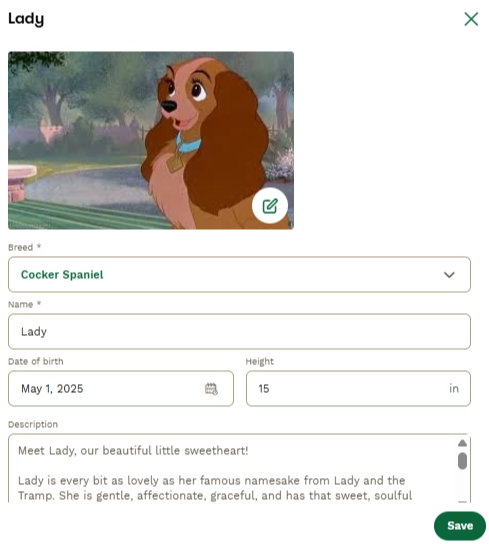
Once saved, the profile will be available for future listings and can be viewed on your Seller Profile.
How to Select a Pet Parent When Creating a Listing
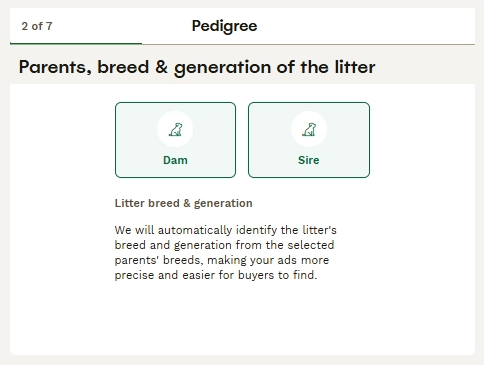
Pet parent selection appears on Step 2 of 7, the “Pedigree” step, titled “Parents, breed & generation of the litter”.
- Click on “Dam” to add information about the mother of the litter. From this flow, you can select a dam you have already added to your profile, or you can add a new one by clicking “Add Dam”.
- If you only want to add the breed, click “Other Breed” and select the mother’s breed from this page.
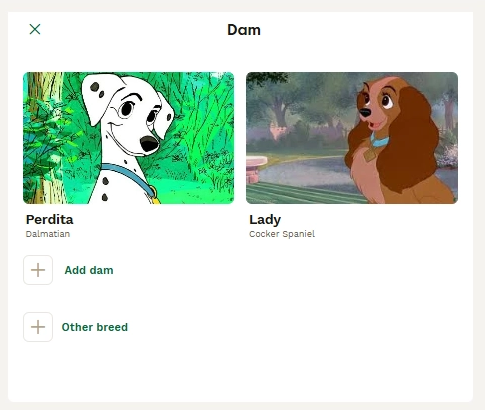
- Repeat the same process for the sire, or father, of the litter. You can select a previously saved sire, create a new sire, or simply add the father’s breed.
- Once both parents are selected, the litter breed and generation will be displayed.
- The system automatically calculates and displays the litter’s breed combination and generation, such as F1 or F1b.
- You can then continue to the next step.
FAQ - Common Questions
Q: Do I have to select a dam and sire to publish a listing?
No. Pet parent selection is optional. Breeders who do not have dam or sire profiles created can still select a breed for the litter from their breed list or the full breed directory.
Q: Where do saved pet parent profiles appear?
Once created, dam and sire profiles are saved to the breeder’s profile and appear at the top of the parent selection screen for all future listings. This means the breeder does not need to re-enter the information each time.
Q: How is the litter generation, such as F1 or F1b, determined?
The generation is automatically calculated based on the breeds of the selected dam and sire. It is displayed on the listing under “Litter breed & generation”.
Need Help?
We’re here for you! If you run into any issues or have questions, easily send us a support ticket by filling in this Support Ticket form!